


HP JetDirect Socket - setting up print management
This page applies to:


Last updated August 20, 2026
HP JetDirect Socket describes the process in which the printer is connected to the server/system. A JetDirect Socket means that the server communicates with the printer via a standard TCP socket connection over the network. This method of connection is often called a Standard TCP/IP Port in other non-HP brands, and the process is commonly refereed to as setting up a “networked printer”. The TCP port used for communication is port 9100.
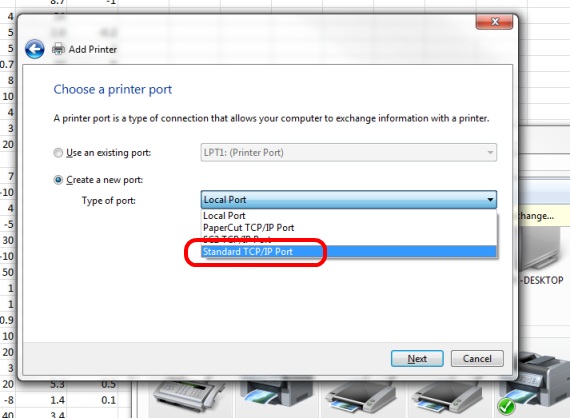
PaperCut’s Print Management Software is 100% compatible with HP JetDirect Sockets and is able to track, quota, control and report all printing done via a network socket connection. No special setup, configuration or extra software is required. PaperCut should automatically detect all your JetDirect HP printers upon install.
PaperCut is also a vendor neutral solution and will work with printer connection methods used by all other printer manufactures. It’s not a HP only solution and is not bound to a particular technology offered by any particular vendor.
Category: Reference Articles
Subcategory: Print Queues
Keywords: printer ports, printer connections, jet direct, local printer, network printer, standard tcp port
Comments
Comments are not available in this preview environment. On papercut.com, this space shows the live Disqus comment thread for this page.